
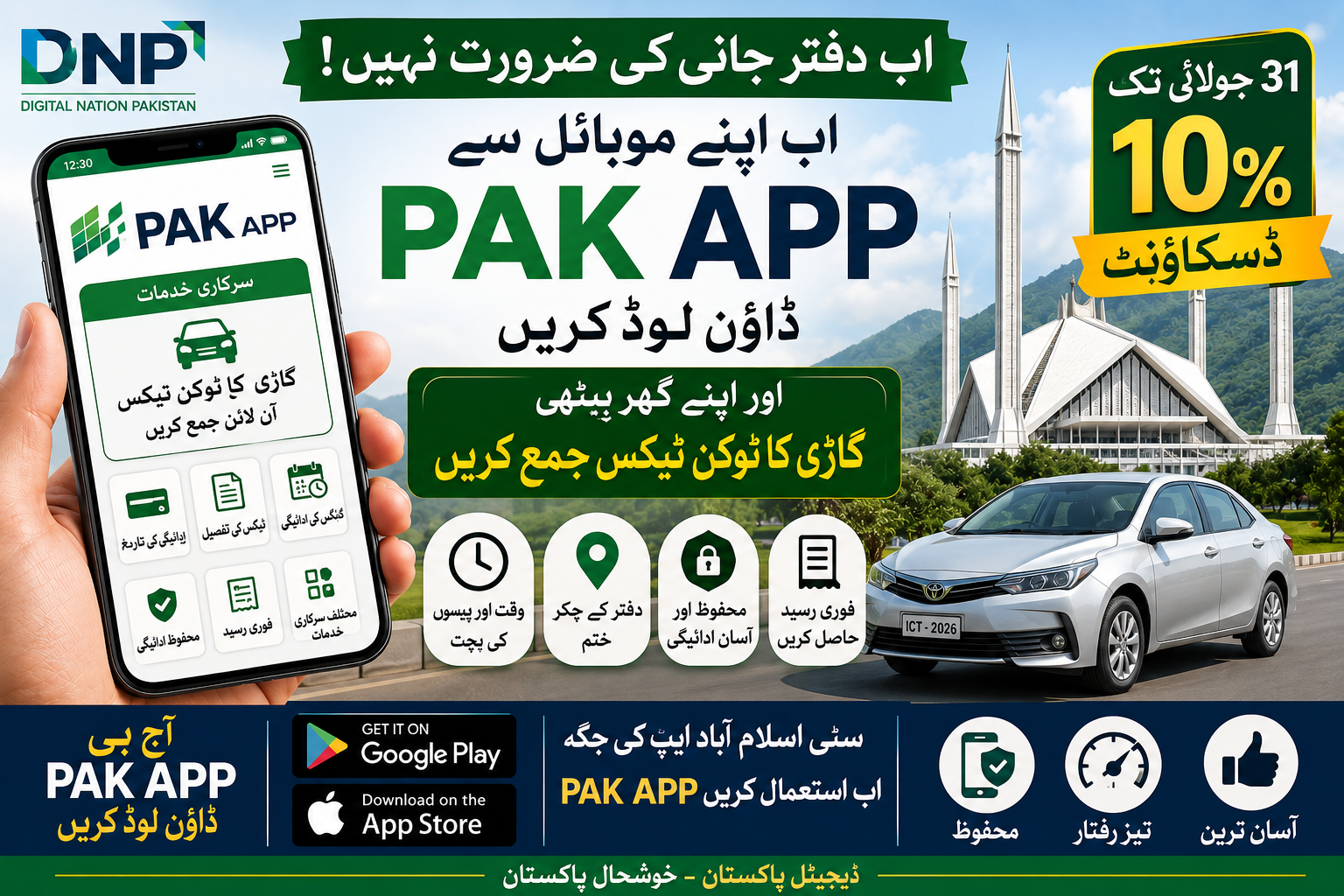
Download the PAK App and pay your Islamabad vehicle token tax online. Learn how to register, pay token tax, check dues, payment methods, eligibility for discounts, troubleshooting tips, and everything you need to know in this complete guide.
Download PAK App and Pay Your Vehicle Token Tax Online
The Government of Pakistan is rapidly digitizing public services to make them more convenient and accessible. One of the latest initiatives under Digital Nation Pakistan (DNP) is the PAK App, which allows Islamabad vehicle owners to pay their vehicle token tax online directly from their smartphones.
Previously, citizens used the Islamabad City App for paying vehicle token tax. Now, this service has been migrated to the PAK App, offering a more centralized platform for accessing multiple government services. With the PAK App, vehicle owners can pay their token tax securely without visiting government offices, saving both time and effort.
This comprehensive guide explains everything about the PAK App, including its features, how to download it, register an account, pay vehicle token tax, payment methods, benefits, troubleshooting tips, and frequently asked questions.
What Is the PAK App?
The PAK App is Pakistan’s unified digital government services platform developed under the Digital Nation Pakistan (DNP) initiative. The application enables citizens to access a growing range of government services through a single mobile application.
One of its most useful features is the ability to pay Islamabad vehicle token tax online, replacing the earlier functionality available through the Islamabad City App.
The PAK App aims to simplify interactions with government departments by offering secure digital services, reducing paperwork, and eliminating unnecessary visits to public offices.

Why Was the Islamabad City App Replaced?
The Islamabad City App previously allowed residents to pay vehicle token tax and access other municipal services. However, the government has introduced the PAK App to consolidate digital services into one platform.
The transition provides several advantages:

- A single application for multiple government services.
- Improved user interface.
- Better security features.
- Faster payment processing.
- Integration with national digital initiatives.
- Easier updates and future service expansion.
Existing users who relied on the Islamabad City App should now use the PAK App for vehicle token tax payments.
What Is Vehicle Token Tax?
Vehicle token tax is an annual government tax that vehicle owners are legally required to pay. It helps fund road maintenance, transportation infrastructure, and other public services.
Failure to pay token tax on time may result in:
- Late payment surcharges.
- Penalties under applicable regulations.
- Difficulties during vehicle inspections or transfers.
- Legal issues during verification by authorities.
Paying token tax through the PAK App helps ensure timely compliance without the need to visit government offices.
Benefits of Paying Token Tax Through the PAK App
Using the PAK App offers several advantages:
- Pay your token tax anytime, anywhere.
- Avoid long queues at government offices.
- Secure digital payment options.
- Instant payment confirmation.
- Digital transaction history.
- User-friendly mobile interface.
- Faster processing compared to manual payments.
- Reduced paperwork.
- Access to additional government services from one app.
During promotional campaigns, eligible users may also receive discounts on token tax payments, subject to official terms and conditions.
How to Download the PAK App
The PAK App is available for both Android and iPhone users.
For Android Users
- Open the Google Play Store.
- Search for PAK App.
- Verify the publisher if listed under the official government or authorized entity.
- Tap Install.
- Wait for the installation to complete.
For iPhone Users
- Open the Apple App Store.
- Search for PAK App.
- Download and install the application.
- Launch the app after installation.
Always download the application from the official app stores to avoid counterfeit versions.
How to Register on the PAK App
Before paying token tax, users need to create an account.
Step 1: Open the App
Launch the PAK App after installation.
Step 2: Create an Account
Provide the required information, such as:
- Mobile number.
- CNIC (if required).
- Email address (if applicable).
Step 3: Verify Your Identity
Enter the One-Time Password (OTP) sent to your registered mobile number.
Step 4: Complete Your Profile
Fill in any remaining personal information requested by the application.
Once registration is complete, you can access the available government services.
How to Pay Vehicle Token Tax Using the PAK App
Paying token tax through the PAK App is straightforward.
Step 1: Log In
Open the PAK App and sign in to your account.
Step 2: Select Vehicle Services
Navigate to the section related to vehicle or excise services.
Step 3: Choose Token Tax Payment
Select the option to pay vehicle token tax.
Step 4: Enter Vehicle Details
Provide the required vehicle information, which may include:
- Registration number.
- Registration authority.
- Chassis number (if requested).
Step 5: Retrieve Outstanding Tax
The app will display your outstanding token tax amount, if applicable.
Step 6: Verify the Information
Review your vehicle details and the payable amount carefully before proceeding.
Step 7: Select a Payment Method
Choose your preferred payment option from the available digital payment methods supported by the app.
Step 8: Complete the Payment
Follow the on-screen instructions to authorize the transaction.
Step 9: Receive Confirmation
After successful payment, you should receive a digital confirmation or electronic receipt. Save or download this receipt for your records.
Payment Methods Available
Depending on the services integrated into the PAK App, users may be able to pay using:
- Debit cards.
- Credit cards.
- Mobile wallets.
- Internet banking.
- Digital payment gateways.
Available options may vary over time based on official updates.
Documents You May Need
Before initiating payment, keep the following information readily available:
- Vehicle registration number.
- Vehicle registration certificate.
- CNIC.
- Registered mobile number.
- Payment card or digital wallet details.
How to Check Your Vehicle Token Tax Status
The PAK App may allow users to:
- View outstanding token tax dues.
- Check payment history.
- Verify successful transactions.
- Download digital payment receipts.
These features help users maintain accurate records and confirm that their tax obligations have been fulfilled.
Common Issues and Troubleshooting
If you encounter problems while using the PAK App:
- Ensure you have a stable internet connection.
- Verify that your vehicle information is entered correctly.
- Update the app to the latest version.
- Confirm that your payment method has sufficient balance or credit.
- Restart the app if it becomes unresponsive.
- Contact official customer support if payment issues persist.
Security Tips for Online Payments
To protect your information:
- Download the app only from official app stores.
- Do not share your OTP with anyone.
- Use a strong password for your account.
- Avoid using public Wi-Fi for financial transactions.
- Review payment details before confirming.
- Keep your device updated with the latest security patches.
Advantages of Digital Government Services
The introduction of the PAK App reflects Pakistan’s broader effort to modernize public services. Digital platforms help citizens by:
- Reducing paperwork.
- Saving travel time.
- Increasing transparency.
- Improving service delivery.
- Offering convenient access to government services.
- Supporting cashless transactions.
- Enhancing citizen satisfaction.
How to apply for Pak Army Jobs 2026? check this article https://nsct.pk/pak-army-dsf-corps-jobs-2026/
Frequently Asked Questions (FAQs)
1. What is the PAK App?
The PAK App is a government-backed digital platform under the Digital Nation Pakistan initiative that provides access to multiple public services, including online payment of Islamabad vehicle token tax.
2. Can I still use the Islamabad City App for token tax payments?
Vehicle token tax services have been migrated to the PAK App. Users should install and use the PAK App for future payments.
3. Is the PAK App available for Android and iPhone?
Yes. The app is available through both the Google Play Store and the Apple App Store.
4. What information is required to pay token tax?
You will typically need your vehicle registration number and other identifying details requested by the app to retrieve your tax information.
5. Is it safe to pay vehicle token tax through the PAK App?
When downloaded from the official app stores and used responsibly, the PAK App is designed to provide secure digital payment services.
6. Will I receive proof of payment?
Yes. After a successful transaction, the app generally provides a digital receipt or payment confirmation that you can save for your records.
7. What should I do if my payment fails?
Check your internet connection, verify your payment details, ensure sufficient funds are available, and try again. If the issue persists, contact the official support channels provided within the app.
Conclusion
The PAK App represents a significant step toward modernizing government services in Pakistan by making vehicle token tax payments faster, more secure, and more convenient. As the successor to the Islamabad City App for token tax services, it allows Islamabad vehicle owners to complete their annual tax obligations directly from their smartphones without visiting government offices. By downloading the PAK App, registering an account, and following the straightforward payment process, users can save time, maintain digital records of their transactions, and benefit from an increasingly integrated digital government ecosystem.




1 thought on “Download PAK App & Pay Token Tax Online with Easy Step-by-Step Process”