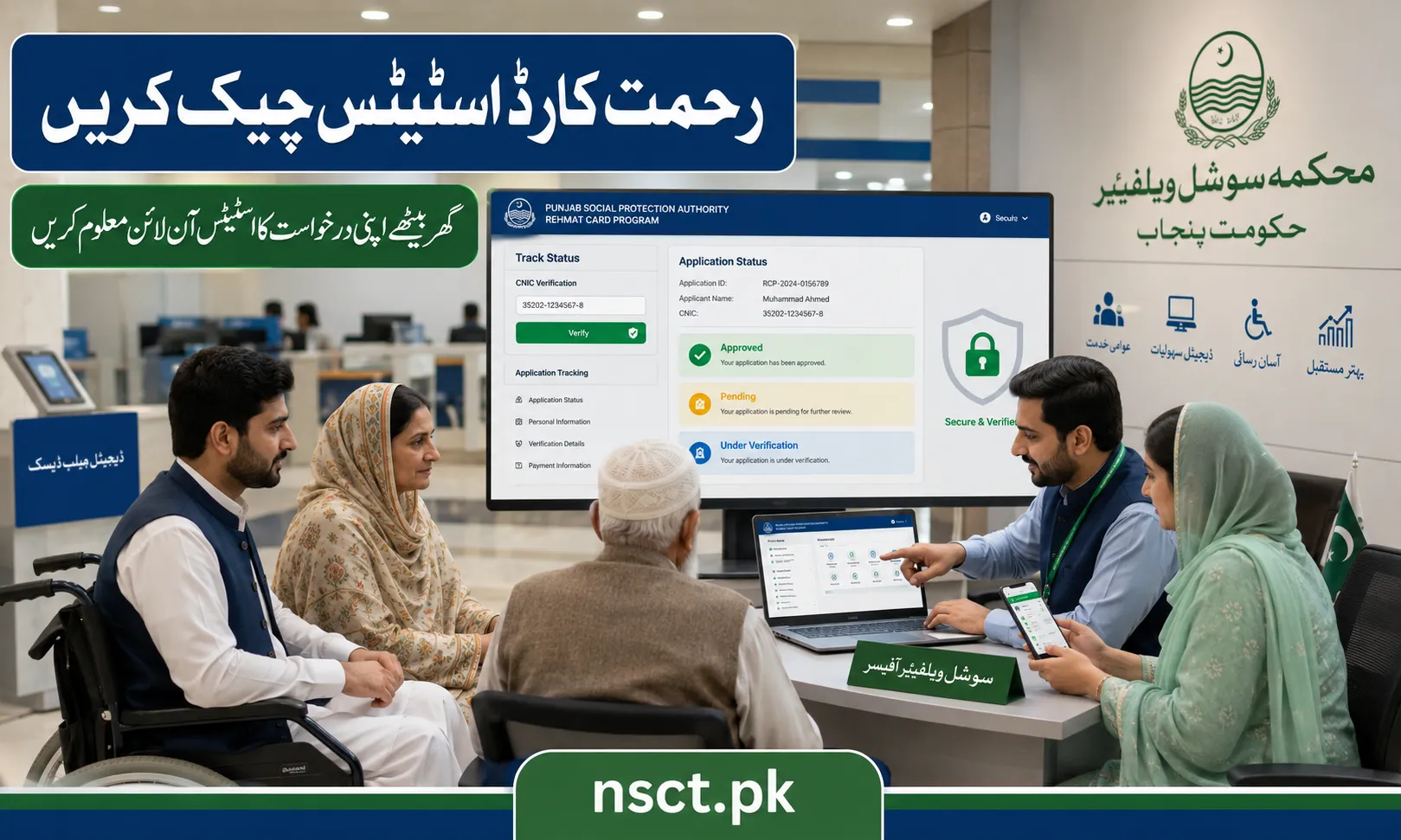
The Punjab Government has introduced a simple online tracking system that allows applicants to verify the status of their Rehmat Card application from home. Instead of visiting government offices repeatedly, eligible citizens can check whether their application is pending, under verification, approved, or rejected through the official tracking portal.
The online status checking system has been designed to improve transparency, reduce waiting time, and keep applicants informed about every stage of the verification process.
If you have already applied for the Punjab Rehmat Card Scheme, follow the complete process below to track your application.
Step 1: Visit the Official Punjab Government Portal
https://rahmatcard.punjab.gov.pk
Open your preferred web browser on a mobile phone, tablet, or computer and visit the official Punjab Social Welfare & Bait-ul-Maal website.
From the homepage, locate the Track Status option available for the Rehmat (Himmat) Card Scheme.
Always use the official government website instead of unofficial social media pages or third-party websites to avoid scams or misleading information.

Step 2: Click on the “Track Status” Button
After opening the official portal, click the Track Status button.
This section has been specially developed for applicants who have already submitted their application and want to monitor its progress.

Step 3: Enter Your CNIC Number
Carefully enter your 13-digit Computerized National Identity Card (CNIC) number.
Before submitting:
- Double-check every digit.
- Do not use spaces or dashes unless instructed.
- Make sure the CNIC belongs to the actual applicant.
Incorrect CNIC information may prevent the system from displaying your application details.
Step 4: Complete Verification (If Required)
Depending on the portal, you may need to complete a simple verification process before searching.
This may include:
- Captcha verification
- Security code
- Additional personal details
This security measure protects applicants’ personal information from unauthorized access.
Step 5: Click Search or Submit
After entering the required information, click the Search or Submit button.
Within a few seconds, the portal will display the latest status of your application.
The displayed result reflects the current progress of your verification and approval process.
Understanding Your Rehmat Himmat Card Status
After checking your application online, you may see one of the following statuses.
Pending
A Pending status means your application has been successfully received but has not yet been processed.
This usually happens when authorities are still reviewing recently submitted applications.
Applicants should wait patiently and check the portal again after a few days.
Under Verification
If your application shows Under Verification, it means the Punjab Government is currently verifying your eligibility.
During this stage, officials may review:
- CNIC details
- Household information
- Financial records
- Disability or welfare records (where applicable)
- Other supporting information
Applicants do not need to submit another application while verification is in progress.
Approved
This is the status every applicant hopes to receive.
An Approved status confirms that your application has successfully met the eligibility criteria.
Once approved, applicants will receive further instructions regarding:
- Card issuance
- Collection procedure
- Benefit activation
- Financial assistance (if applicable)
Applicants should continue monitoring official announcements for the next steps.
Rejected
If the portal displays Rejected, it means the application could not meet one or more eligibility requirements.
Common reasons include:
- Incorrect CNIC information
- Incomplete application
- Failure to meet eligibility criteria
- Duplicate application
- Verification mismatch
Applicants who believe their application has been rejected by mistake should contact the Punjab Social Welfare & Bait-ul-Maal Department through official support channels.
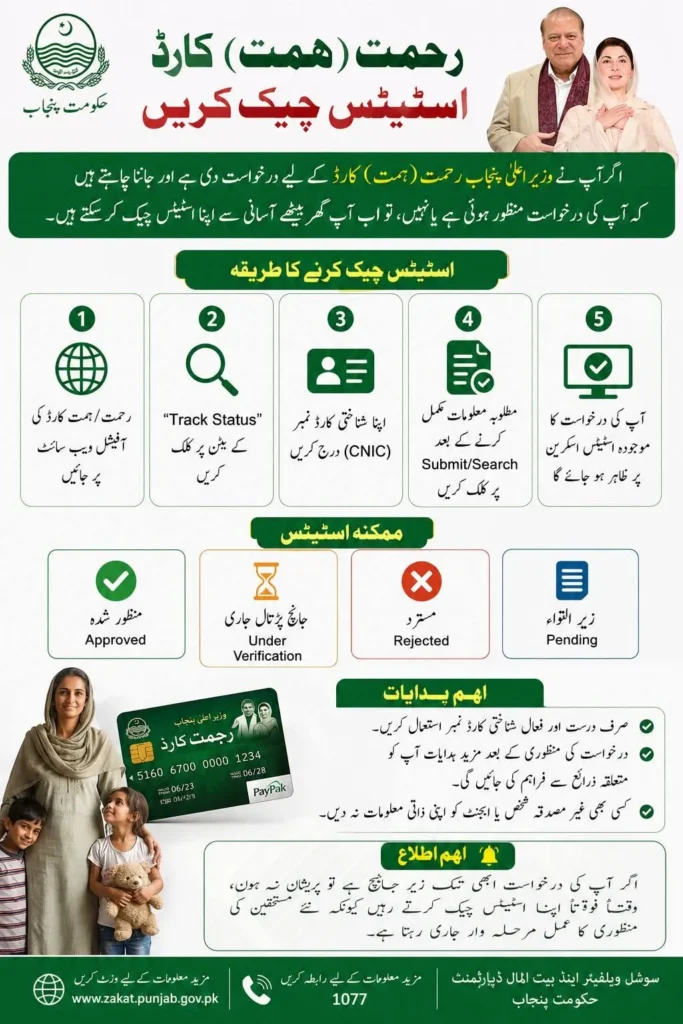
Important Tips While Checking Your Status
To avoid unnecessary delays or errors, applicants should follow these recommendations:
- Always use your own valid CNIC number.
- Use the official Punjab Government website only.
- Never share your CNIC, OTP, or personal information with agents or unknown individuals.
- If the website is busy, try again later instead of repeatedly refreshing the page.
- Keep checking the portal regularly because approvals are often released in phases.
What Should You Do After Approval?
Once your application is approved:
- Carefully read all official instructions displayed on the portal.
- Wait for further communication regarding card issuance.
- Keep your registered mobile number active.
- Carry your original CNIC whenever requested.
- Follow only official government announcements regarding card collection and benefits.
Applicants should avoid paying any agent or intermediary, as the official process is handled by the Punjab Government.
If Your Application Is Still Under Review
Many applicants become worried if they continue seeing Pending or Under Verification for several weeks.
However, the Punjab Government processes applications in different phases. Verification may take additional time depending on:
- Number of applications received
- Verification workload
- Record matching with different government departments
Therefore, applicants are advised to remain patient and continue checking their status periodically through the official portal rather than submitting multiple applications.