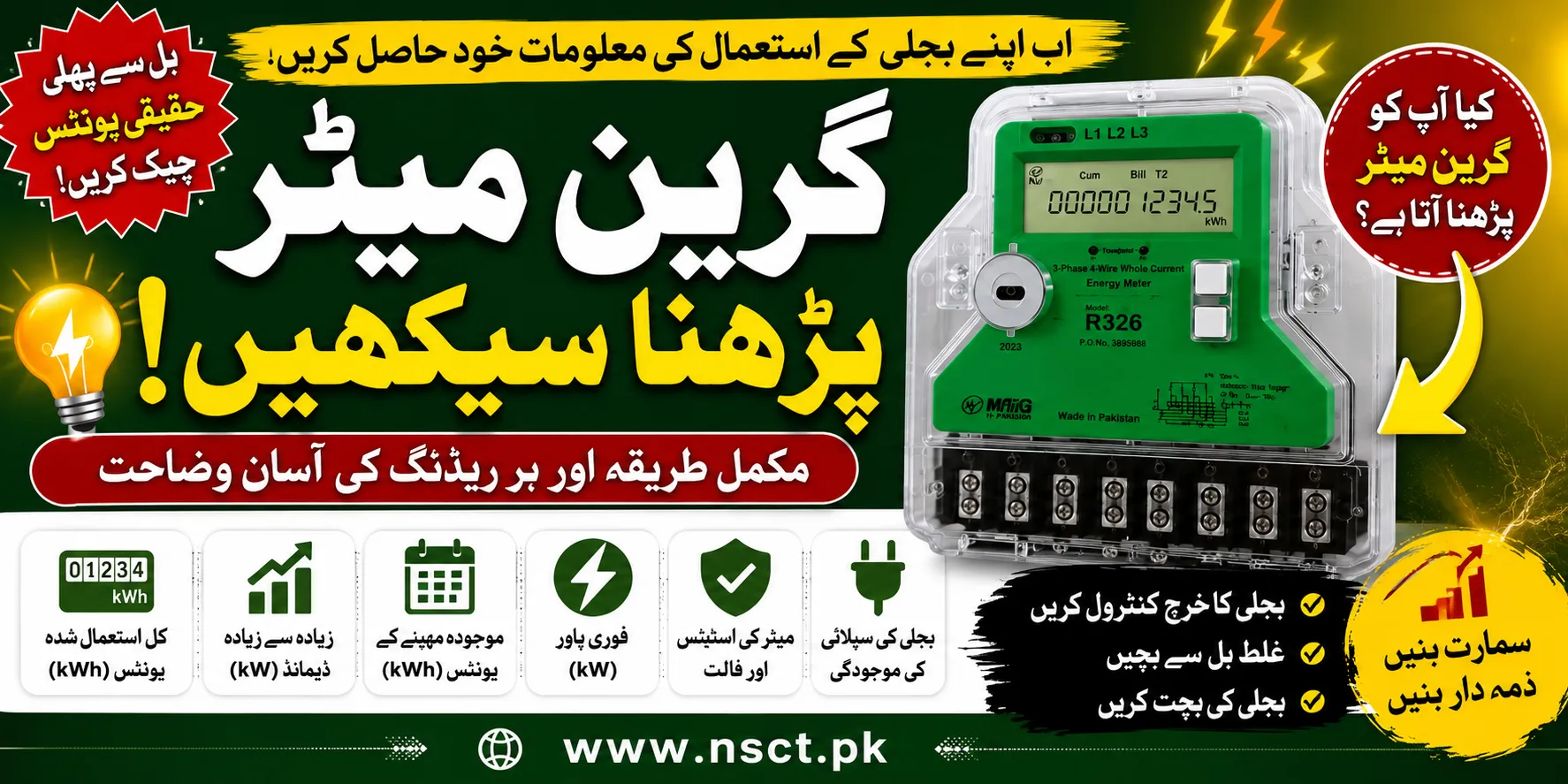
Learn how to read a Green Meter in Pakistan with this complete guide. Understand Total Energy (kWh), Maximum Demand, Current Month Units, Instant Power (kW), meter status, fault codes, and electricity supply indicators.
How to Read Green Meter in Pakistan
With the increasing installation of AMI (Advanced Metering Infrastructure) Green Meters by electricity distribution companies across Pakistan, many consumers want to know how to read Green Meter readings and understand the information displayed on the LCD screen.
Unlike old analog electricity meters that only displayed total units consumed, modern Green Meters provide detailed information about your electricity usage, demand, power consumption, and system status. Learning how to read these values can help you monitor your electricity consumption, identify abnormal usage, reduce electricity bills, and verify the readings shown on your monthly bill.
This comprehensive guide explains everything you need to know about checking Green Meter readings in simple language.

What is a Green Meter?
A Green Meter is a digital smart electricity meter that continuously records electricity consumption and communicates data electronically with the electricity distribution company.
These smart meters are gradually replacing traditional mechanical meters throughout Pakistan.
A Green Meter provides consumers with real-time electricity information that was previously unavailable on conventional meters.

Why Should You Learn to Read a Green Meter?
Understanding your Green Meter offers several advantages.
Track Your Electricity Usage
You can monitor daily electricity consumption instead of waiting for your monthly electricity bill.

Avoid Unexpected Bills
By checking your meter regularly, you can detect unusually high consumption before receiving your bill.
Verify Billing Accuracy
Consumers can compare their own readings with the units mentioned on the electricity bill.
Monitor Heavy Appliances
Air conditioners, electric heaters, water pumps, and other heavy loads can significantly increase electricity usage. A Green Meter helps identify when consumption spikes occur.
Improve Energy Efficiency
Knowing your consumption patterns encourages smarter electricity usage and reduces wastage.
Information Displayed on a Green Meter
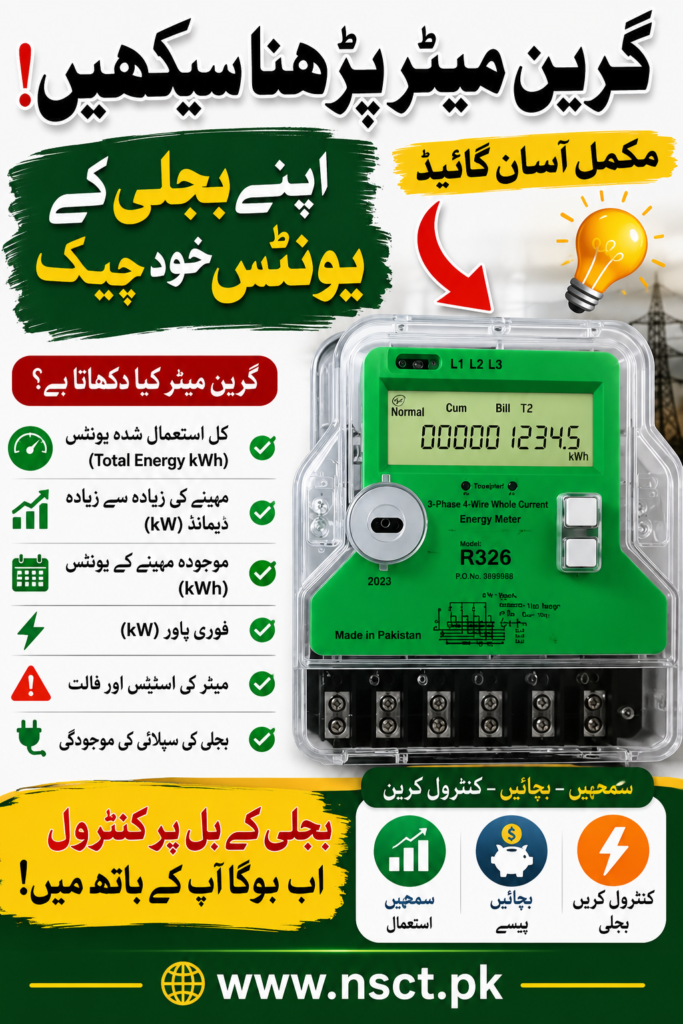
A Green Meter cycles through different screens automatically. Each screen displays specific information about your electricity usage.
The most common readings include:
- Total Energy (kWh)
- Maximum Demand (kW)
- Current Month Energy (kWh)
- Instantaneous Power (kW)
- Meter Status
- Fault Information
- Supply Status
Let’s understand each reading in detail.
1. Total Energy (kWh)
What Does Total Energy Mean?
This is the most important reading on the Green Meter.
It shows the total number of electricity units consumed since the meter was installed.
Example:
Total Energy
0012546 kWh
This means the premises have consumed 12,546 electricity units since installation.
Why is it Important?
Electricity companies use this reading to calculate your monthly bill.
2. Current Month Units (kWh)
Many Green Meters also display the electricity consumed during the current billing cycle.
Example:
Current Month
285 kWh
This indicates that 285 units have been used during the present month.
This reading helps consumers estimate their upcoming electricity bill.
3. Maximum Demand (kW)
What is Maximum Demand?
Maximum Demand represents the highest electricity load used during a billing period.
Example:
Maximum Demand
5.8 kW
This means your home or business reached a peak electricity demand of 5.8 kilowatts.
Large commercial and industrial consumers particularly monitor this value because demand charges may apply.
4. Instantaneous Power (kW)
Instantaneous Power shows how much electricity is being used at that exact moment.
Example:
Instant Power
2.45 kW
If you switch on an air conditioner or electric heater, this value will increase immediately.
This reading helps identify which appliances consume the most electricity.
5. Meter Status
The meter status screen indicates whether the Green Meter is functioning normally.
Common status messages include:
- Normal
- Active
- Communication OK
- Relay ON
- Relay OFF
If the status indicates “Normal,” the meter is working correctly.
6. Fault Information
Green Meters automatically detect certain faults.
Possible fault messages include:
- Meter Tamper
- Cover Open
- Reverse Current
- Phase Failure
- Neutral Missing
- Communication Error
If a fault message appears, consumers should contact their electricity distribution company immediately.
7. Electricity Supply Status
The meter also displays the current supply condition.
Typical indicators include:
- Supply Available
- Power ON
- Power OFF
- Voltage Present
- Voltage Missing
This helps determine whether an interruption is caused by the electricity supplier or internal wiring.
How to Check Green Meter Readings
Reading a Green Meter is simple.
Step 1
Locate the LCD display.
Step 2
Wait for the display to automatically cycle through different screens.
Step 3
Observe each reading carefully.
Step 4
Record the following values:
- Total Energy
- Current Month Units
- Maximum Demand
- Instant Power
Step 5
Compare your readings every few days to monitor electricity consumption.
Understanding kWh and kW
Many consumers confuse these two terms.
| Term | Meaning |
|---|---|
| kWh | Total electricity units consumed |
| kW | Current electricity load or demand |
For example:
Running a 1 kW appliance for one hour consumes:
1 kWh (1 electricity unit)
How Green Meter Helps Reduce Electricity Bills
Consumers who regularly monitor their Green Meter can:
- Detect unnecessary electricity usage
- Turn off idle appliances
- Reduce peak demand
- Identify faulty equipment
- Improve energy efficiency
- Estimate monthly bills
Common Green Meter Display Codes
Depending on the manufacturer, Green Meters may show different display codes.
Some common examples include:
| Display | Meaning |
|---|---|
| Total Energy | Total Units |
| kWh | Energy Consumed |
| kW | Current Power |
| MD | Maximum Demand |
| Voltage | Supply Voltage |
| Current | Load Current |
| PF | Power Factor |
| Frequency | System Frequency |
Common Mistakes While Reading a Green Meter
Avoid these common errors:
- Confusing kW with kWh
- Reading Maximum Demand instead of Total Energy
- Ignoring fault messages
- Not recording readings regularly
- Assuming all Green Meter models display information in the same sequence
Benefits of Smart Green Meters
Green Meters offer several advantages over traditional meters:
- Accurate billing
- Remote meter reading
- Reduced human error
- Tamper detection
- Real-time monitoring
- Better energy management
- Improved transparency
- Faster fault detection
Tips for Monitoring Your Electricity Consumption
To make the most of your Green Meter:
- Check readings every week.
- Record Total Energy in a notebook or spreadsheet.
- Monitor consumption after installing new appliances.
- Compare readings with your monthly electricity bill.
- Report unusual meter behavior promptly.
Frequently Asked Questions (FAQs)
How do I check the units on my Green Meter?
Look for the Total Energy (kWh) or Current Month (kWh) display on the LCD screen. These values represent electricity consumption in units.
What does kWh mean on a Green Meter?
kWh (kilowatt-hour) is the standard unit of electrical energy used for billing purposes. One kWh equals one electricity unit.
What is Maximum Demand on a Green Meter?
Maximum Demand is the highest electrical load recorded during a billing period, measured in kilowatts (kW).
Why is my Green Meter showing different screens?
Green Meters automatically cycle through multiple display screens, each showing different electrical parameters such as units consumed, voltage, power, and meter status.
Can I calculate my electricity bill using Green Meter readings?
Yes. By subtracting your previous Total Energy reading from the current reading, you can estimate the units consumed during the billing period. Multiplying those units by your applicable tariff provides an approximate bill amount.
What should I do if my Green Meter displays a fault?
If the meter shows tamper alerts, communication errors, phase failure, or other fault messages, contact your local electricity distribution company or customer service center for inspection.
Conclusion
Learning how to read Green Meter readings is an essential skill for every electricity consumer in Pakistan. By understanding key parameters such as Total Energy (kWh), Current Month Units, Maximum Demand (kW), Instantaneous Power, Meter Status, and Supply Indicators, you can take greater control of your electricity usage, detect unusual consumption, and better understand your monthly bills.
Regularly checking your Green Meter not only helps improve energy efficiency but also enables you to identify potential issues early, verify billing accuracy, and make informed decisions about your electricity consumption. As smart metering becomes more widespread, knowing how to interpret these readings will become increasingly valuable for both residential and commercial consumers.